Bria Enterprise Softphone
Bria Enterprise is included with selected Cloud PBX plans
PhoneEssentials, PhonePlus and PhoneMax include a free Bria Enterprise softphone, so every person can take calls on their computer or phone.
What is Bria Enterprise?
Bria Enterprise is a business softphone from CounterPath (now part of Alianza). It turns your computer, phone or tablet into an extension on your Simtex Cloud PBX, so you can make and take work calls anywhere, with HD voice, video, chat and presence.
How you get it
- Your admin turns Bria on for you in MyCloudVoIP and gives you a username and password. Admins: see how.
- You install Bria Enterprise on up to 4 devices and sign in.
Bria Enterprise is included free with PhoneEssentials, PhonePlus and PhoneMax plans.
Signing in
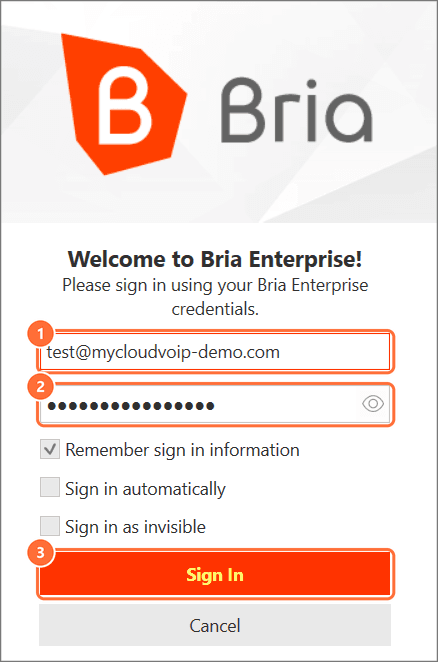
The sign-in screen is the same on every device:
- Username: your full username, including the domain, for example
sam@yourbusiness.com. It's not your extension number. - Password: the Bria password from your admin. It's not your SIP or voicemail password.
- Sign In.
Forgotten your password? Ask your admin to reset it in MyCloudVoIP. Resetting signs you out on every device, so you'll sign in again with the new one.
Download Bria Enterprise
Official CounterPath (Alianza) downloads.
Don't rely on Bria for 000 calls. A softphone needs power and internet, and may not pass your location to emergency services. Keep a desk phone or mobile available for emergencies.
Common questions
Your MyCloudVoIP administrator (a SuperUser) turns Bria on for you and gives you a username and password.
Last updated 17 November 2026