Call Single Number Node
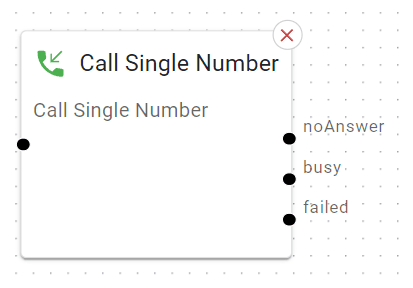
Sends the call to a single specified phone number or extension.
This could be an internal extension or an external mobile for example.
Basic Usage
Place it in your flow, for instance after a Menu node (“Press 3 to call John Smith directly”).
Configure the phone number.
Wire the outcome for what happens if there’s no answer, busy, or if the call is rejected.
Detailed Parameters
Phone Number / Extension

What: The specific number or extension to dial (e.g., “202,” “+61894883344”).
Tip: Double-check the number format is using +e164 format, national format (61894883344 or 0894883344)
Caller ID (Optional)

What: Allows you to change the number which is displayed/presented on the target phone number.
Timeout (seconds)

What: How many seconds to ring before a “no answer” outcome triggers.
Tip: 15–20 seconds is typical. Enough time for a phone to ring a few cycles.
Honour Forwarding

What: If you are calling an internal number, you can decide whether the target’s handset-based call-forwarding rules are honoured or ignored.
Play Music When Ringing

What: When target phone number is being called, the caller will hear music on hold instead of the usual ‘ring ring’ ringback tone.
Outcomes
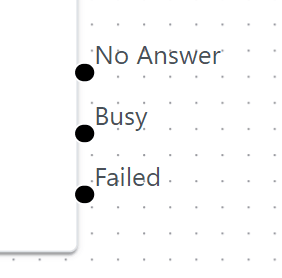
Busy
What: Where to send the call if the target number was engaged
No Answer
What: Where to send the call if the line is not answered before the timeout set
Tip: If you only want one fallback, you can wire both “busy” and “no answer” to the same node
Failed
What: Where to send the call if the number was invalid or the device / trunk was offline
Tip: If you need to send calls elsewhere but only if a device is not responding
Example Use Case
Executive Direct Call: Let an important caller reach a specific manager’s cell phone directly.