Ring Group Node
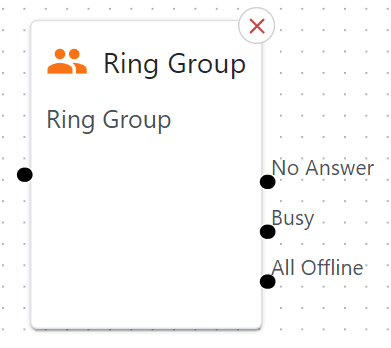
Rings multiple extensions at once or in a sequence, bridging calls to your team members.
Great for small groups.
Also supports external numbers.
Basic Usage
Drag it in and connect to another node.
Configure which extensions are included and how they ring.
Wire what happens if no one answers or if lines are busy.
Detailed Parameters
Node Name

What: Type in a meaningful name for your node
Extensions
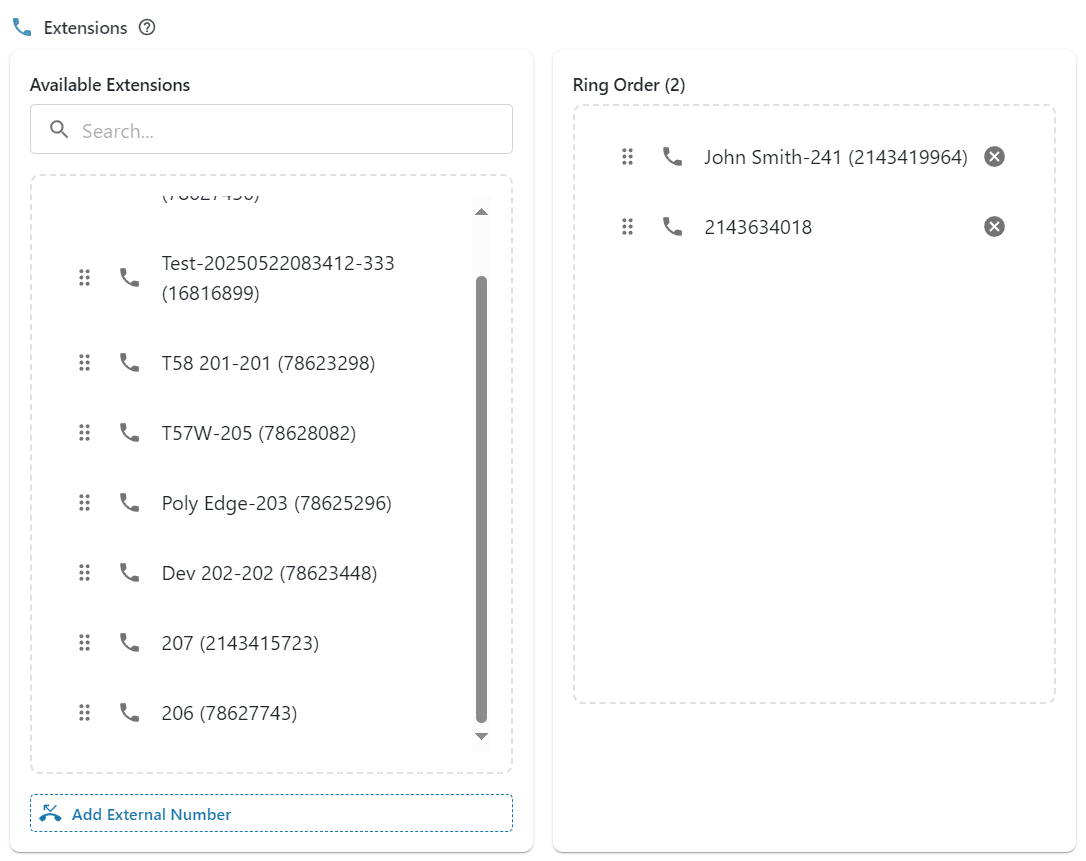
What: Which local extensions (or external numbers) you want in this group.
How: Drag extensions from the Available Extensions box to the Ring Order box
Tip: You can click Add External Number to add a mobile to the group
Ring Strategy

Simultaneous: All selected extensions ring at the same time.
Sequence: They ring in a set order (e.g., Ext 101 first, then Ext 102, etc.).
Ring Time (seconds)

What: How long to ring each extension (sequential) or round (simultaneous) before timing out.
Tip: 15-20 seconds is common. Too long and callers may be waiting forever.
Distinctive Ring

What: A custom ring tone to help your agents know it’s from this group.
Why: Helps staff identify inbound calls from the IVR.
Honor Forwarding

What: If someone in the ring group has personal call forwarding set, do you respect it?
Tip: This should be used as a last resort as it can cause unexpected handling of calls.
Ring with Music

Play music on hold instead of the usual ring-back tones.
Example Use Case
Sales Team: Suppose you want to ring all sales reps at once. You include their extensions in a “Simultaneous” ring group.