On/Off Switch Node
A toggle for night mode, or one of 10 manual switches.
Users can turn the switches on or off using a feature code, BLF button on their handsets, or from our web portal.
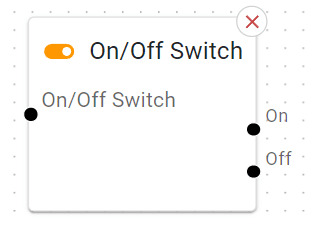
You can also click the on/off buttons on each node to update the switch live.
Basic Usage
Place it after the Call Start or Date & Time Switch.
Wire the on path to, say, “Voicemail” (night mode) and the off path to your normal “Menu” or “Ring Group.”
Detailed Parameters
Switch Type
What: Select which type of switch you’d like to check. Options include Night Mode, or BLF Switch 1 through 9.
On Outcome
What: Where calls go if the switch is turned on.
Tip: Typically, an after-hours greeting or voicemail.
Off Outcome
What: Where calls go if the switch is turned off.
Tip: Typically, your main daytime IVR flow.
Example Use Case
Manual Override: The receptionist toggles it “on” if they leave early, sending calls directly to voicemail.