Date & Time Switch Node
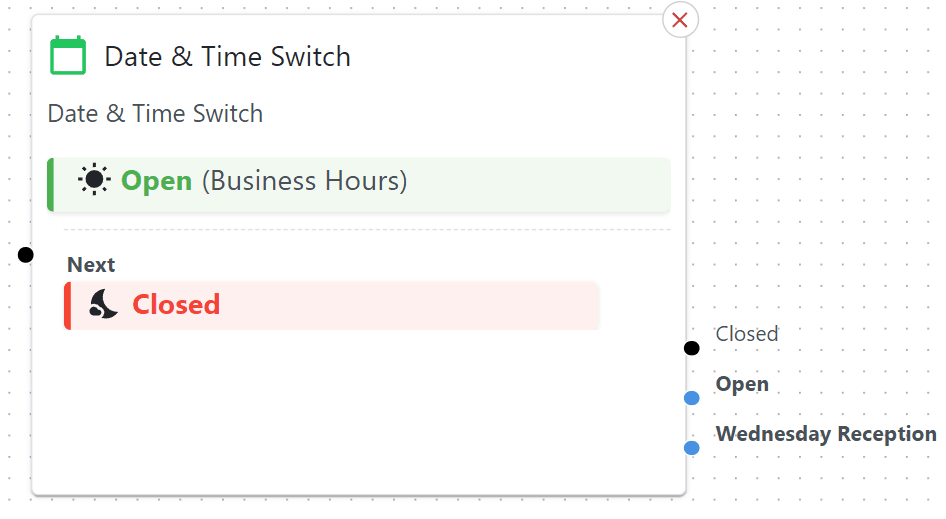
Routes calls based on date/time schedules—like an automated “It’s after 5 PM, better send calls to voicemail” gate.
This node optionally “Closes” automatically on the selected public holidays.
Shows live status
Can configure complex timetables and routines
Basic Usage
Drag it onto the canvas.
Define schedules for business hours, public holidays, or one-off closures.
Wire each schedule outcome to the next node (e.g., “Open” => “Menu,” “Closed” => “Voicemail”).
Schedule Priority
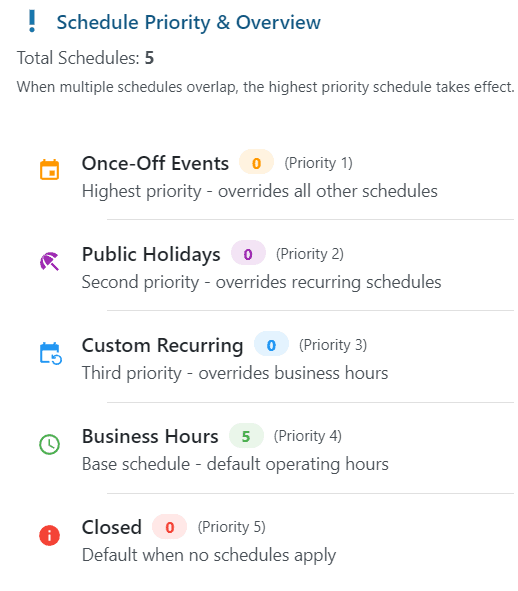
Each schedule type has its own ‘priority’ ie if there are overlapping times and dates, certain schedule types will take precedence.
Detailed Parameters
Business Hours
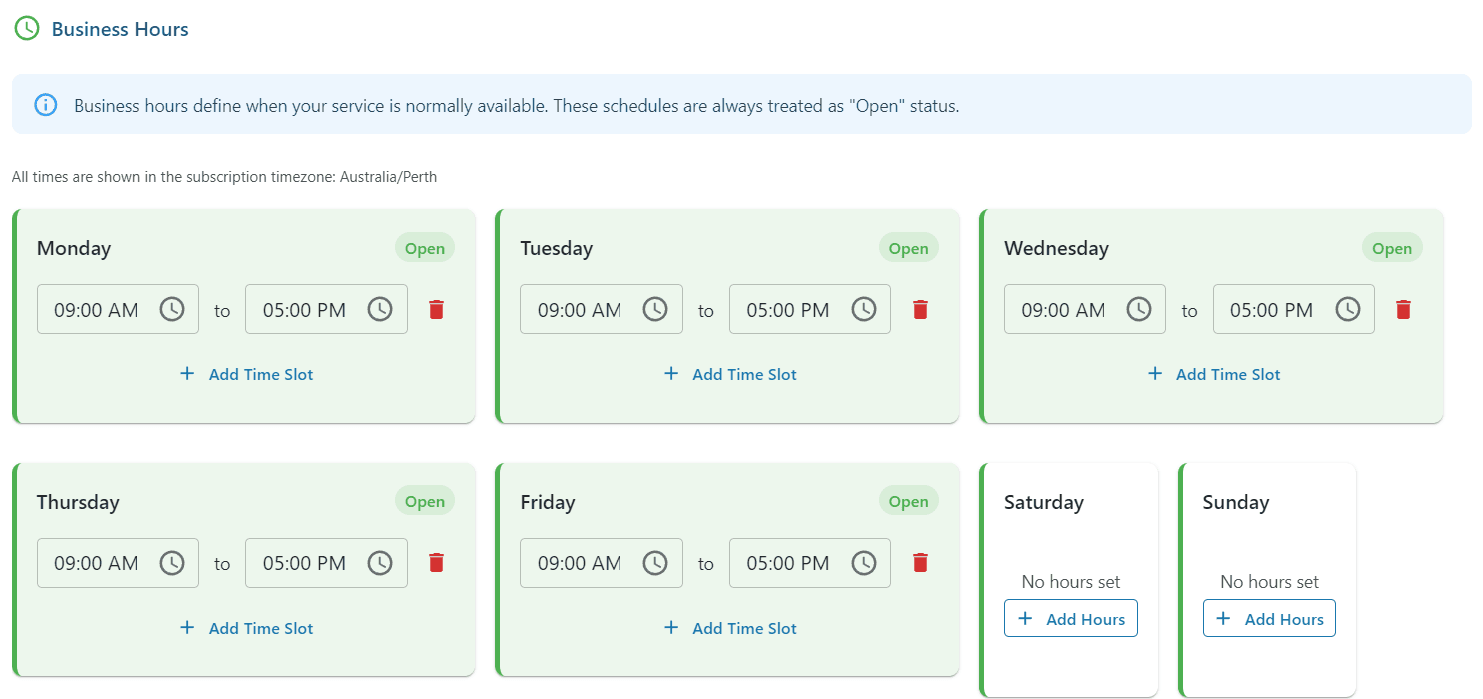
What: Normal business hours each day. You can set multiple ranges per day.
Tip: “Open” might route to a menu, “Closed” might route to voicemail or a night greeting.
Public Holiday Jurisdiction
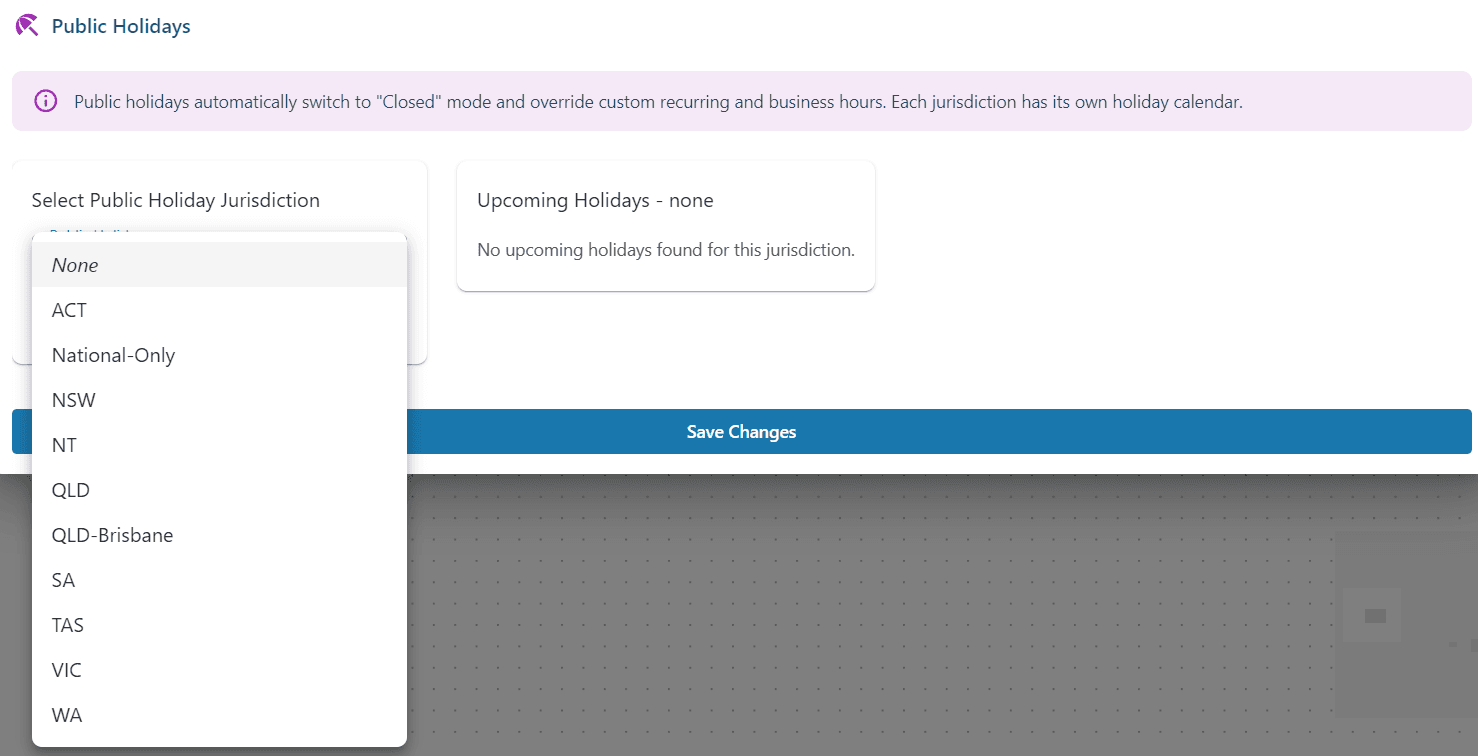
What: Tells the system which region’s public-holiday calendar to check automatically.
National Only: Select this option if you only wish to close on national holidays such as Christmas, Boxing Day, NY etc.
Tip: If you handle different regions, create multiple flows or set up separate nodes.
Custom Recurring Schedules
What: These are repeating schedules which can be setup to occur on certain days of the week, either forever or only during a specified date window. We also support
Weekdays,Weekends,Bi-Weekly
1. ‘Add’ yourOutcomeby typing the name then clicking Add
2. Add a meaningful
label, selectrequired days,time range, andrecurrence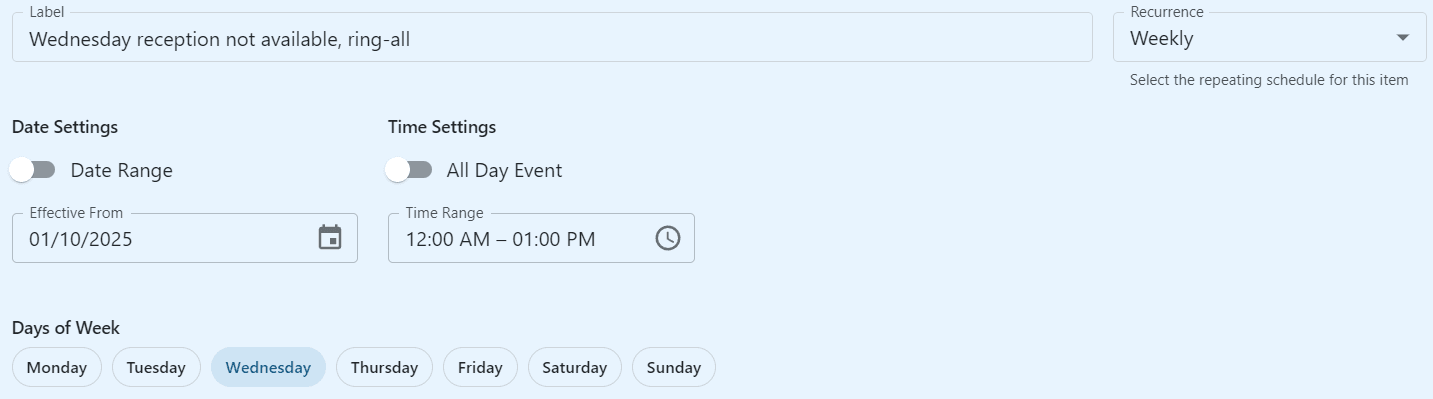
Date Range: With this turned off, there is no end-date - the schedule will last forever
All Day Event: When enabled, the event will be active from 00:00 to 23:59
Recurrence:
Weekdayswill occur Mon through Friday,Weekendsare Saturday and Sunday.Weeklywill occur on whatever Days of Week are enabledBi-Weeklywill occur on whatever Days of Week are enabled, starting from Effective From, then skipping a week.Days of Week: Select which days the schedule will be active
Once-Off Schedules
What: Specific dates (and optional times) for one-time events, like a staff meeting, an all-day closure, or possibly an entire holiday or Christmas period.
This type of schedule overrides all other schedules including public holidays.
Can be a single block of time, a whole day, or range of days in a contiguous block.
1. ‘Add’ yourOutcomeby typing the name then clicking Add
2. Add a meaningfullabel, selectall dayas required,start, andend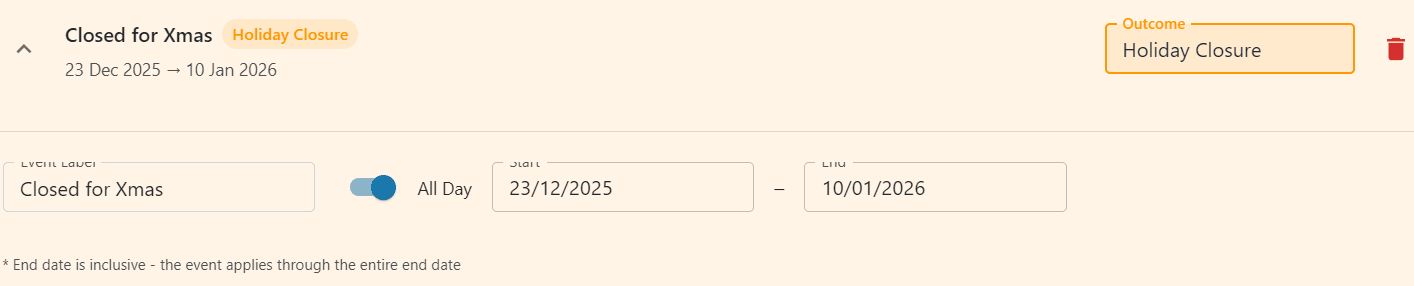
All Day: If checked, it covers the entire day. If unchecked, set start/end times.
Remember it’s one block, starting from the start date and time to the end date and time.Outcome: The option that’s triggered when that schedule is active.
Example Use Case
Restaurant after-hours logic: If it’s after 9 PM, calls go to a “We’re closed” message. On public holidays, calls might route to a “holiday greeting.”